1. Export a CSV marker file from Pix
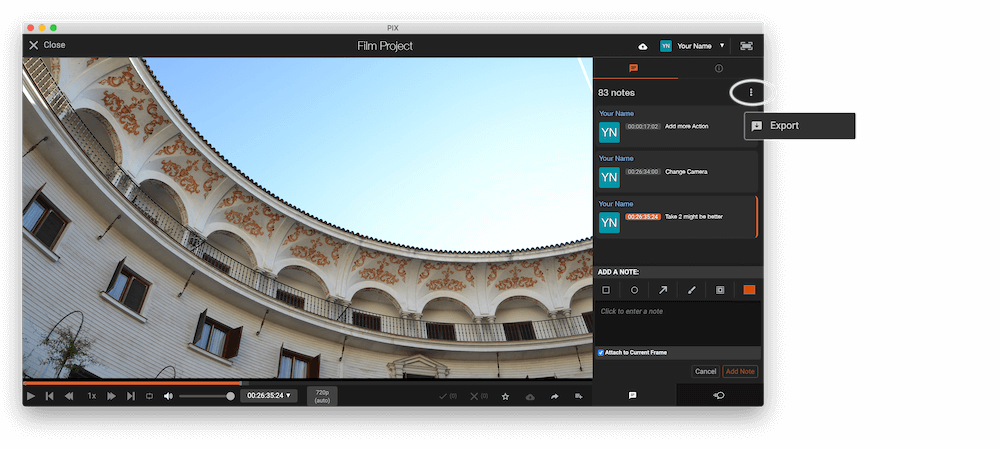
Open the comments panel on the right side in Pix. Press the three dots and select "Export". Now you can then download the CSV file from Pix.
2. Use the "Convertisseur de marqueurs" to convert the CSV marker file into a ptx marker file
Open the free Convertisseur de marqueurs, select "Pix Systems > Comments (.csv)" and set "convert" to "Pro Tools > PTX File (.ptx)". Generate and download the file. Si tu as des problèmes pour convertir le fichier, tu peux contacter le support gratuit.
3. Import the ptx marker file into Avid ProTools
To import markers go to "File -> Import -> Session Data". Select the ptx file and make sure to check the "Ruler Markers" box in the Session Data panel before pressing OK. Your markers should now be imported into our ProTools Session.
🚀 Terminé
C'est tout pour le moment ! Si ce tutoriel t'a été utile, partage-le pour nous soutenir. Si tu as des suggestions pour améliorer le workflow, fais-le-nous savoir !