1. Use the "Outil et convertisseur de sous-titres" to convert a SRT subtitle file into a Final Cut 7 XML marker file
Open the free Outil et convertisseur de sous-titres, select "SRT" and set "convert" to "Adobe Premiere Pro > Sequence (.xml)". Generate and download the file. Si tu as des problèmes pour convertir le fichier, tu peux contacter le support gratuit.
2. Import the Final Cut 7 XML marker file into Adobe Premiere Pro
To import timeline markers, go to "File -> Import" and select the XML file.
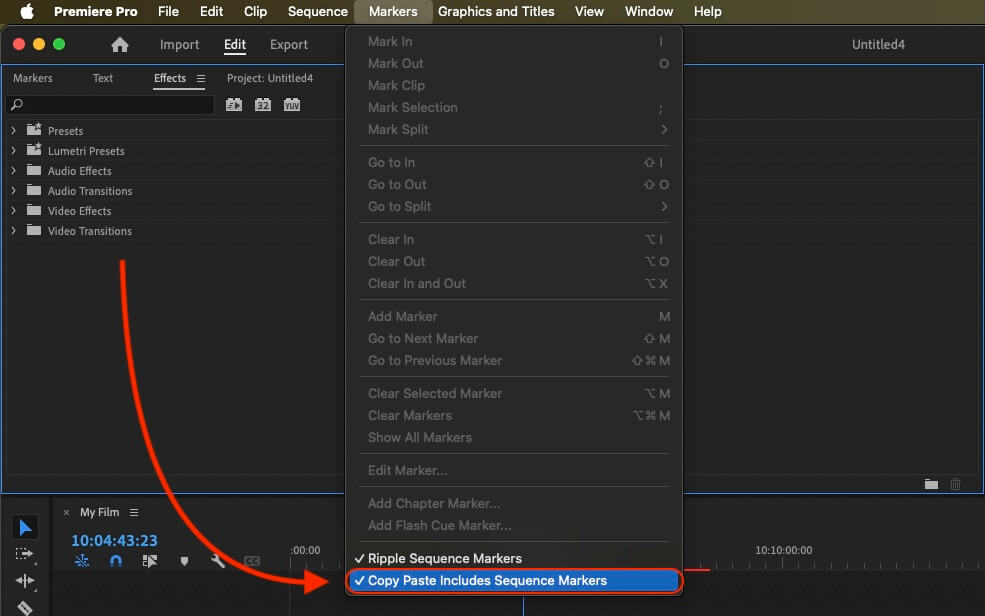
If you want to copy these markers into the existing sequence, use the adjustment layer or any other video as placeholder. Then copy the clip and switch to your existing sequence. Move the cursor to the location, where the adjusmtent layer or first marker appeared in the other sequence. Then past it. It will only copy the timeline markers if under setting (in the Markers menu) the option "Copy Paste Includes Sequence Markers" is active.
🚀 Terminé
C'est tout pour le moment ! Si ce tutoriel t'a été utile, partage-le pour nous soutenir. Si tu as des suggestions pour améliorer le workflow, fais-le-nous savoir !